

GET or POST /render/screenshot. Requests cost one credit before optional add-ons.
Try the Playground
Open the signed-in Playground, enter a page URL, choose your capture options, and press Render screenshot. Device switches do not capture automatically. Use Code for the equivalent request and Details for the returned JSON. Playground previews use stored screenshots.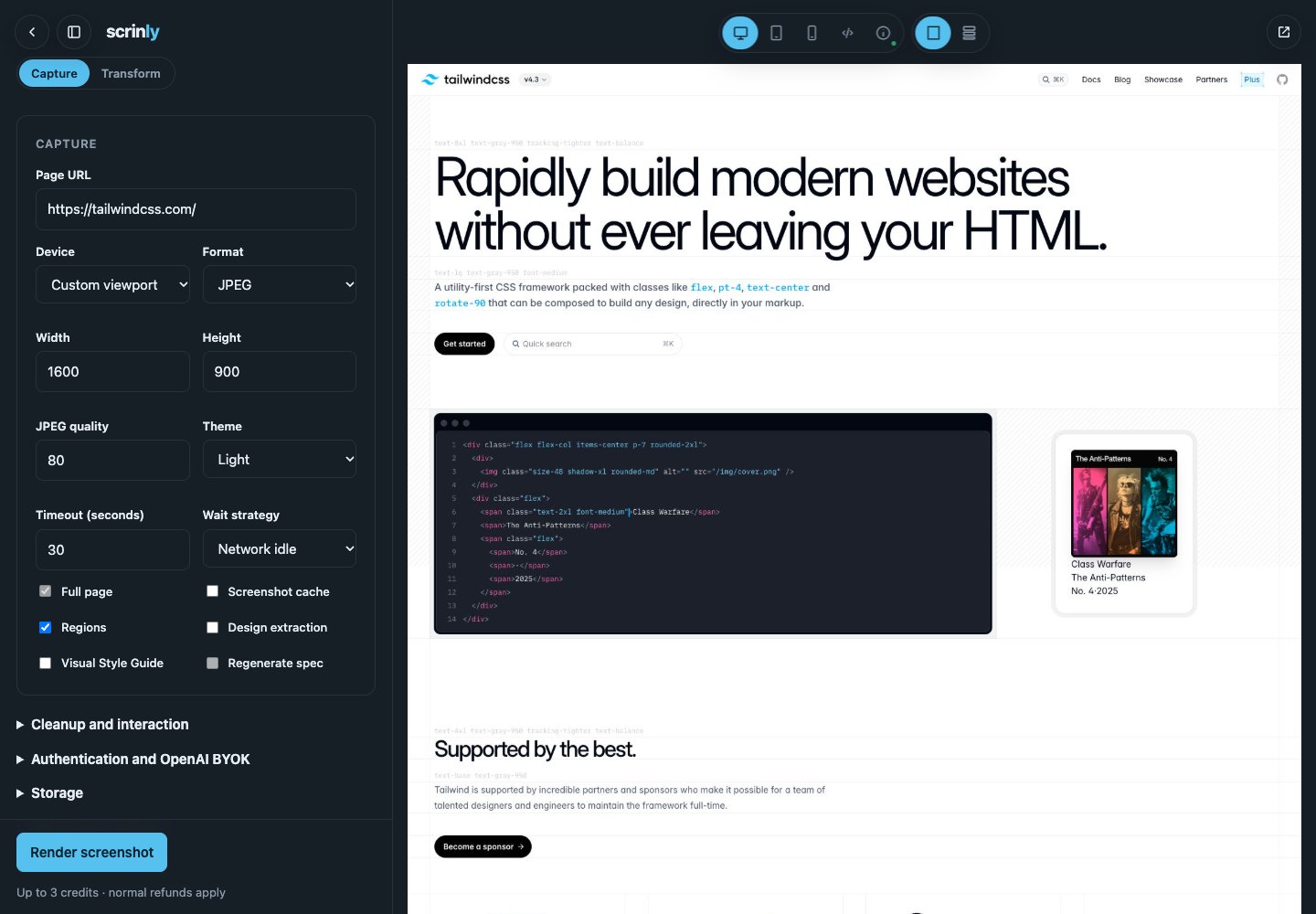
Binary responses
Without storage, synchronous requests return rawimage/jpeg or image/png bytes.
Stored JSON responses
Setstore:true and a storage_path to receive metadata and a direct provider URL instead of binary bytes. Async, regions, and Visual Style Guide requests imply storage.
X-Scrinly-Storage-URL points to the same complete screenshot. Generated keys are content-addressed, so changed captures of the same target and prefix cannot overwrite earlier evidence.
Capture controls
Cleanup controls include
blockCookieBanners, blockAds, blockChatWidgets, blockPopups, and blockAccessibilityWidgets. Set them deliberately when the authored page should remain untouched.
Full-page preparation progressively scrolls through finite content, waits for lazy images and fonts, returns to the top, and verifies the encoded image dimensions. An unbounded page or incomplete bitmap fails with a typed capture_error and refunds the screenshot credit rather than returning a silent crop.
If page navigation exceeds timeout, Scrinly returns the retryable navigation_timeout capture error and refunds the complete charge. Increasing the timeout or explicitly selecting a stricter wait strategy is useful only when the target genuinely needs it.
Raw design evidence
design:true adds an advanced raw evidence object from the same page session. It describes observed palette, typography, spacing, motion, breakpoints, tokens, and library signals. It is optional evidence for customers that need the raw data; the Visual Style Guide enables its own private bounded projection automatically.