

regions:true on either screenshot method. Regions imply fullPage:true, storage, and a default storage_path of screenshots; they add two credits.
Inspect crops in the Playground
Enable Regions before rendering, then select Regions in the floating workspace toolbar. Browse the saved crops in document order, download a part, or choose Use as source to configure a transformation. Browsing and selecting do not generate new images. Downloads require the storage provider to allow cross-origin reads from the dashboard.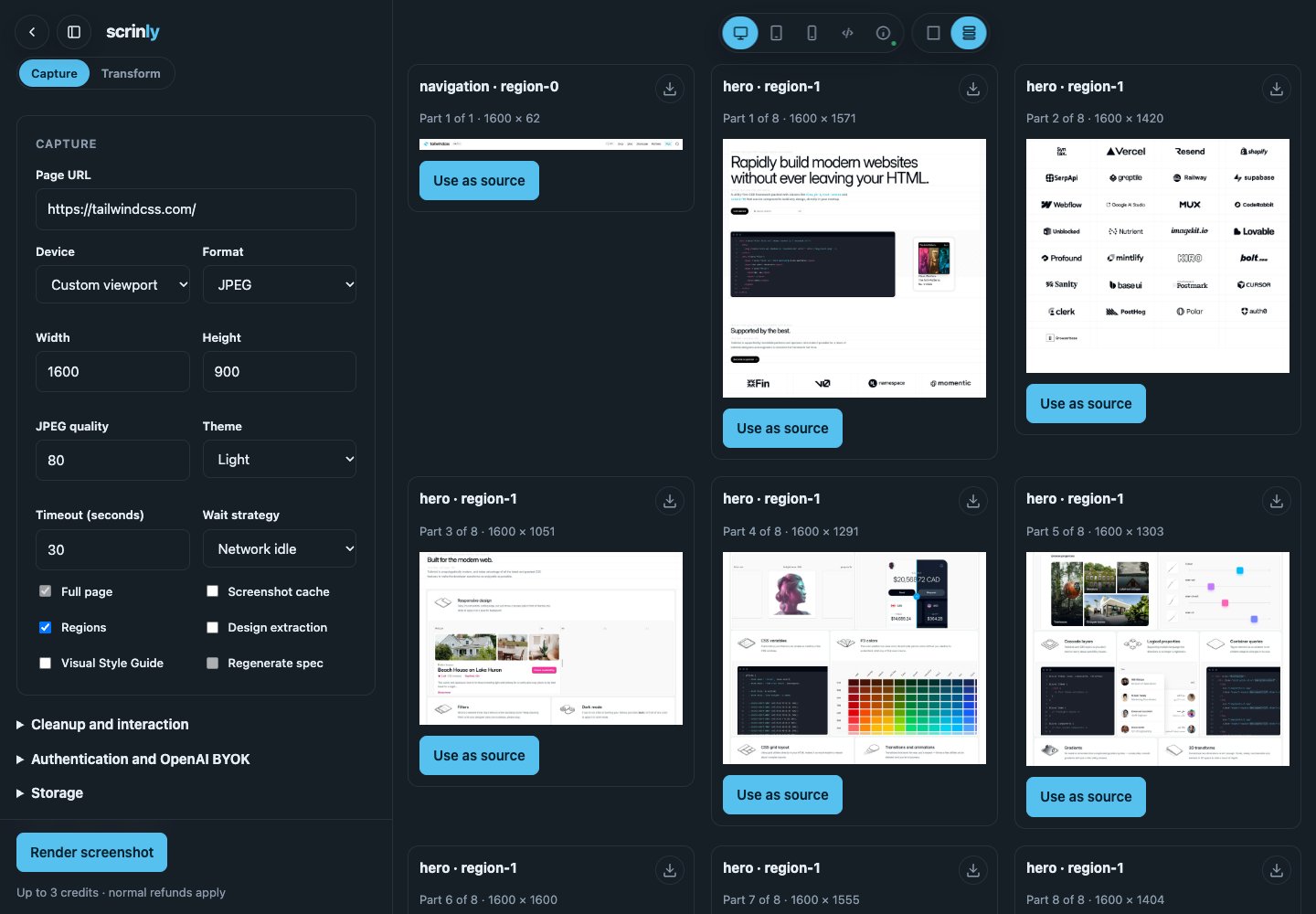
Region manifest
navigation, hero, content, features, pricing, testimonials, faq, logos, cta, and footer. Tall logical regions split into parts no higher than 1,600 bitmap pixels. At most 32 crop assets are returned; coverage reports any shedding or forced cuts.
The manifest never exposes page text, HTML, selectors, cookies, headers, or reconstruction data. Each crop URL uses the same direct B2, S3, or R2 delivery contract as the full screenshot.
If the screenshot succeeds but segmentation or crop upload fails, the request returns HTTP 200 with regions:null, a typed regionError, and a two-credit refund. The screenshot remains usable.