
Real-browser capture
Give agents and automations a faithful record of the exact page
state across viewports, devices,
themes, and interactions.
Capture webpages in a real browser and turn them into structured visual context agents can inspect. Full-page screenshots, browser interactions, deterministic regions, visual diffs, monitoring and a screenshot-grounded Visual Style Guide, through one API.
100 credits a month, free. No card required.
curl "https://api.scrinly.com/render/screenshot" \
  -X POST \
  -H "Authorization: Bearer $SCRINLY_API_KEY" \
  -H "Content-Type: application/json" \
  --data-raw '{"url":"https://tailwindcss.com/","fullPage":true,"regions":true}' \
  --fail-with-body  \
  --silent --show-error

# One browser session creates the screenshot
# and its deterministic region crops, all tied
# to the same image hash.
{
  "success": true,
  "type": "screenshot",
  "media": {
    "stored": true,
    "key": "homepage/tailwind/59305565...jpg",
    "url": "https://.../59305565...jpg",
    "contentType": "image/jpeg"
  },
  "regions": {
    "version": "regions-v1",
    "screenshot": {"width":1600,"height":11593,"sha256":"59305565..."},
    "items": [{"id":"region-0","kind":"navigation", …}],
    "coverage": {"ratio":1, "truncated":false, "omittedAssets":0}
  },
  "credits": {"charged":3,"refunded":0,"net":3}
}
Capture the page as users saw it, break long pages into
context an agent can inspect, and add a
visual style guide only when the workflow needs deeper
understanding.
Give agents and automations a faithful record of the exact page
state across viewports, devices,
themes, and interactions.
Make long pages readable to vision models by returning
ordered sections they can inspect without shrinking the
entire page into one image.
Catch visual regressions, monitor important pages, and turn the
same screenshot evidence into a reusable
visual reference.
Screenshots, regions, style guides, and visual diffs all point back to the same captured image. Hashes and metadata make it easy to check where each result came from.
POST /render/screenshot
Capture the exact visual state your workflow needs across devices, themes, and post-interaction states—without operating a browser or maintaining capture infrastructure.
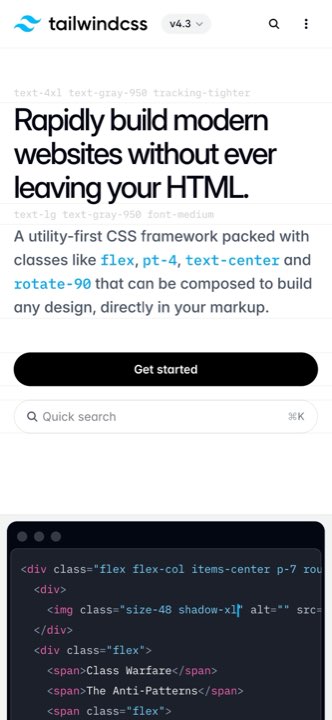
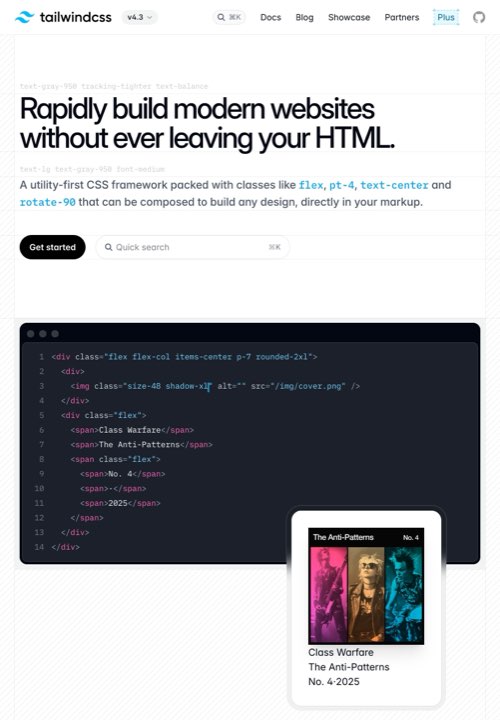
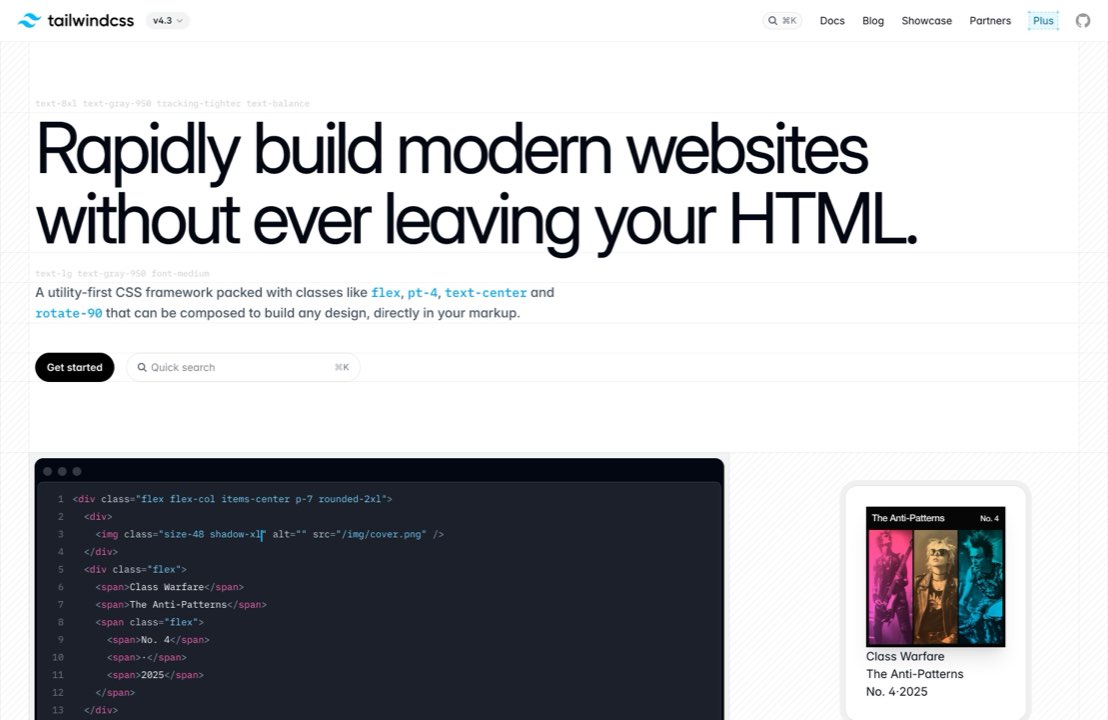
Catch visual regressions before users do. Compare
releases, monitor critical pages, and give
agents a focused record of what changed, where it changed, and whether
it needs attention.



Capture important pages on a schedule, compare each successful run,
and send incident events to the systems that need to act.
Create the monitor once; Scrinly handles the capture, baseline, diff,
and recovery lifecycle.
Understand a page’s visual language without manually inspecting its
CSS. Use structured colors, typography, spacing, motion,
and layout signals in design audits, QA, and downstream agent
workflows.
Give vision models a long page in
readable pieces instead of one compressed image. Agents can
inspect navigation, content, calls to action, and the footer
while preserving document order and page context.
A real capture of Tailwind CSS . Every crop, bound, hash and byte count in this panel comes from the saved API response. Scrinly is not affiliated with Tailwind Labs.
Turn a stored screenshot into an Open Graph image, a thumbnail, or a
crop of one region — no second page load, no AI. Pick a
preset or set width, height and
format.
Loading saved outputs…
Real outputs from one capture of Tailwind CSS . Every image, size and byte count in this panel comes from the saved API response. Scrinly is not affiliated with Tailwind Labs.
Turn a captured page into a reusable visual reference for design
reviews, brand audits, and agent handoffs. Each section distinguishes
what was observed, what was inferred, and where
the available evidence is incomplete.
observedA dark neutral canvas with a cool blue
accent, high-contrast display type and a restrained radius system.
The values are tied to the screenshot and evidence-part sha256 values.
observedCards share one border treatment. Buttons repeat the same accent, radius and focus treatment.
observedCards reveal at 600ms
with a 100ms stagger.
inferredThe repeated timing curve may represent one shared transition token. The inference is labelled, not promoted to an observed fact.
Observations cover the captured breakpoints only.
Truncated evidence and omitted values are reported explicitly.
Every literal is checked. Each color, duration, easing, breakpoint and token literal is matched back to the screenshot projection. Excess unknown values, a missing heading or truncated output fails the add-on instead of publishing it.
Observed and inferred are labelled. Inference is allowed but clearly separated, so an agent can distinguish measured evidence from model interpretation.
The screenshot remains available. A provider outage returns a partial result, keeps the successful screenshot and refunds only the Visual Style Guide increment.
Provider input stays bounded. The model receives screenshot crops and a sanitised projection—not the target URL, hostname, HTML, headers, cookies, selectors or supplied page text. Visible copy and branding can still appear in the pixels.
Connect Codex, Claude Code, and other MCP clients with scoped OAuth. Agents can capture, compare, wait for durable jobs, and check available credits without receiving your API key or learning the full REST API.
Sign in through Scrinly, approve only screenshot, diff, and usage permissions, then let the agent work. Every billable call still declares its maximum credits before work begins.
 Claude Code
 Codex
Codex
 Gemini
 Cursor
The Scrinly skill teaches compatible agents how to choose the right tool, set the smallest valid credit ceiling, preserve image and region integrity, and poll one accepted job without paying for a duplicate. It contains no credentials and cannot expand the scopes you approved.
npx skills add davmixcool/skills \
  --skill scrinly \
-gCredits are charged before the work starts and refunded when it fails, so a request you never got is a request you never paid for. Every response carries your balance in the headers.
A screenshot costs one credit. regions adds two and a
platform styleGuide generation adds three; a cached Style
Guide or BYOK adds one. A visual diff is its own request at one credit.
A transformed output — a resized, re-encoded or cropped copy of a
stored screenshot — costs one credit.
Plans differ only by monthly allowance and operating limits.
Everything, at a small scale.
Free forever
Start freeFor a first production workload.
billed monthly
Choose StartupThe plan most teams settle on.
billed monthly
Choose ProSteady, high-volume pipelines.
billed monthly
Choose BusinessMaximum capacity for high-volume screenshot and monitoring workflows. Everything in Business, with three times the allowance and storage on your own bucket.
Capacity figures are separate ways to spend one month’s full allowance, rounded down. Cached Visual Style Guides and BYOK can cost less.
Yearly plans are billed once but the credit allowance still refreshes every month — an annual plan is not twelve months of credits handed over at once. Credits are charged before a render starts and refunded if it fails. See how credits work →
Everything here is how the API behaves today, not a roadmap. Shipping history lives in the changelog.
No. Renders run on the cloud, so there is no Chromium to operate, no container to size and no queue to babysit. You send a URL and get bytes or JSON back.
Public pages support fullPage, theme and
format controls. You are responsible for having the rights
and permission required to capture the target.
Safe visual options such as viewport, device, theme, format, waiting, full-page capture and explicit cleanup work on public pages.
cookies, authorization headers and browser actions are
available for pages you are authorized to access; the obligation is
yours, not a gate we can check for you. Private network targets,
loopback, link-local and reserved destinations are blocked outright, and
overriding robots.txt requires a domain you have verified —
see automation transparency.
Yes. Send the stored screenshot’s screenshotId to the
transform endpoint with a preset such as
og-image or thumbnail, or your own
width, height and format. You can
cut a saved region first. Each output costs one credit and the page is
not loaded again — see the
transformations guide.
Synchronous by default: one request, one response. Pass
async=true or a webhookUrl and the job is queued
instead — you get a 202 with an id to poll, or the result
delivered to your endpoint.
A platform-funded Style Guide can be queued with its screenshot.
BYOK stays synchronous, because a provider credential is never persisted
or queued. Screenshot batches are screenshot-only — regions
and styleGuide are rejected there, since a batch reserves
exactly one credit per item.
Stored screenshots, region crops and diff visualizations return direct provider URLs from Scrinly B2 or your B2, S3 or R2 bucket. Assets used for diffing and monitoring must be publicly fetchable; retention follows the selected storage destination.
You keep the successful screenshot and pay only for the completed work. A failed regions or Visual Style Guide add-on returns a partial result and refunds that add-on.
If the browser capture itself fails, the complete charge is refunded. Component errors stay typed so an agent can decide whether to retry.
Yes, in X-Scrinly-Provider-API-Key. It makes Style Guide generation one
credit and the key is never stored, echoed or logged. Textual provider
input excludes the URL, hostname, HTML, supplied page text and credentials.
The model still sees visible copy and branding inside the screenshot crops.
One credit for the screenshot. Add-ons are charged once, and only the component that fails is refunded.
API jobs, monitor records and status routes are account-scoped. Direct storage URLs follow the access policy of their B2, S3 or R2 destination.
100 credits a month. No card, no sales call.